


TOD by beIN
4.6553.00 Reviews
App Specs
- Version
- Varies with Device
- Updated On
- License
- Free
- Downloads
- 5,000,000+
- Developer
- TOD - Stream Sports & Movies
- Categories
- Sports
- Platform
- Android
Screenshots
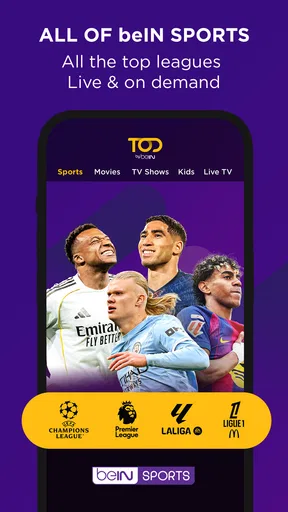
 Analysis by AppCompare
For a household that follows live sport but also wants something to watch when there isn’t a match on, TOD – Sports & Entertainment has an appealing premise: one app for both. That can make shared viewing easier, but it also means it is worth thinking about who uses the account, what they want to watch, and how you will handle paid access before settling in. My overall view is that TOD is most compelling when its sports coverage matches your household’s interests; the movies and series are a useful extra rather than a reason for everyone to replace their usual services.
A shared screen for sport and downtime
A realistic use for TOD is a shared evening in which one person wants to follow a live football match and someone else would rather choose a film afterward. Keeping both kinds of viewing in the same app can reduce the back-and-forth between services. It is also handy when plans change: if the match is over, you can move to entertainment without turning the rest of the evening into a search for another app.
The trade-off is that a shared app does not automatically make a shared account convenient. People in a household may have different teams, sports, or viewing habits, and a recommendation that suits one person may not help the next person who picks up the device. I would agree on a simple routine—such as checking whose profile or viewing history is active, if profile options are available in your setup, before browsing—rather than assuming the app will separate everyone’s tastes for you.
When one account serves several viewers
For roommates or partners who mostly watch together, the combined sports-and-entertainment focus can be a practical fit. It gives the group a common place to check what is worth watching, especially when the main event is live and the alternative is a movie or series. For a household whose members usually watch different things at the same time, however, one app may not solve the bigger issue of coordinating access and screens. I would compare the actual viewing habits first, rather than choosing it simply because it covers several types of content.
It also helps to decide who handles the account and any purchases. The app is free to install, but it includes in-app purchases, so I would keep purchase decisions with the account holder and make sure other household members know not to treat every prompt as part of free access. That small boundary matters more on a shared device, where a tap from someone else can have consequences for the person responsible for the account.
Make live viewing easier to coordinate
Live sport rewards a little preparation. If your group is hoping to watch a particular match or event, check the app ahead of time, confirm that the content you want is available to you, and settle the device and connection before the start. That is more reliable than opening the app at the last minute while everyone is already waiting. A reminder can help with planning if that option is available in your version and setup, but I would still use a household calendar or a direct message when several people need to coordinate.
One useful habit is to separate “what are we watching?” from “who is paying for access?” Decide on the event first, then have the account holder check the relevant access details. This avoids the awkward moment when a group has gathered around the screen only to discover that the desired stream requires a purchase or subscription choice. It is a practical trade-off: a little checking in advance, in exchange for less uncertainty at kickoff.
Worth Reading Before You Choose

Flipboard Shows What News Apps Must Do Beyond the Feed

Switching to Android Auto Means Rethinking Your Driving Routine

Google Calendar Makes a Crowded Week Easier to Manage

Ludo King Makes the Most of the Minutes Between Plans

Baby Panda World Brings Quick Play to Modern Phones, but Its Game Library Feels Busy

ESPN’s Live Game View Makes Following Close Games Easier
Age context and account boundaries
TOD is rated Teen, which is useful context for families, but an age rating is not a substitute for an adult checking what a child plans to watch. The app brings sports, movies, and series together, so I would treat it as a viewing destination that needs ordinary household supervision rather than assume that every title will suit every age. If a younger viewer uses a shared device, agree on what they can open and who should handle account or purchase prompts.
I would also avoid promising children that the app will provide separate family controls or viewing boundaries unless you have checked those settings directly. A safer approach is to keep the account holder involved, review the available options on the device, and make expectations clear before handing it over. For a teen watching independently, the Teen rating gives a helpful starting point; for younger children, an adult’s judgement about individual content still matters.
Who is likely to get the most from it?
TOD is a stronger fit for viewers who want sports to be central and appreciate having movies and series nearby for the gaps between events. Football followers may find it especially relevant, while people who also watch motorsport, rugby, or tennis have more reasons to check whether its coverage lines up with their interests. It is less convincing for someone who only wants a general film-and-series catalog, or for a fan whose must-watch events are better served by a specialist sports service in their region.
Compared with using separate sports and entertainment apps, the main appeal here is convenience: fewer places to browse when a household wants both live events and regular on-demand viewing. The downside is that an all-in-one service is not necessarily the best specialist at either job for every viewer. Dedicated sports services may be preferable when a person follows a narrow set of competitions closely, while a film-focused service may make more sense for a household that rarely watches sport. I would choose based on the events and titles you actually expect to watch, not the breadth of the category list.
It is also worth treating the app’s audience figures as context rather than a promise about personal experience. TOD is a sports app from TOD - Stream Sports & Movies, has an average rating of 3.0 from around 15,000 ratings, and has been installed over five million times. Those figures suggest that it has a substantial audience, but they do not tell me whether a particular stream will suit your connection, device, or viewing routine. The mixed average is a reason to try it with a low-stakes viewing session before relying on it for an important shared event.
Cost deserves the same practical approach. Installation is free, and in-app purchases range from $2.99 to $299.99 per item, so “free” should not be read as a guarantee that every match, film, or feature is included without payment. Before committing to a plan or purchase, I would check what access is required for the exact content you want and whether the arrangement makes sense for the number of people who will use it. The app was released on January 11, 2022, and its version can change over time; I would check the current app and account details rather than rely on old instructions when setting it up.
What I would check before settling in
My first check would be the specific event or title, not just whether the app has a broad sports or entertainment section. That distinction is important for live viewing: a service can cover the sport you follow without necessarily having the particular event you planned around. Next, I would test playback on the device and connection I intend to use. A short trial run before inviting people over can reveal whether the screen, audio, and network are comfortable for the room.
If you are choosing between TOD and a separate service, compare the practical routine as well as the catalog. Do you want to switch from live sport to a film without changing apps? Does one person mainly control viewing, or does everyone browse independently? Is the content you care about worth any required paid access? These questions are more useful than assuming that one combined service will automatically be cheaper or simpler. The answer will differ between a couple who watches together and a household where each person has a separate viewing schedule.
All-in-One Entertainment Hub
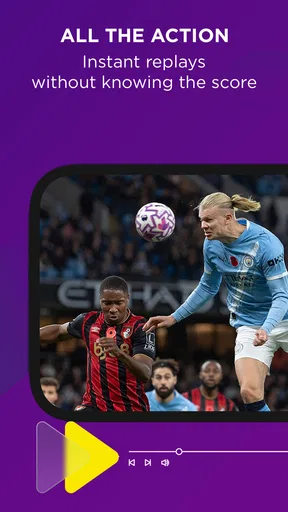
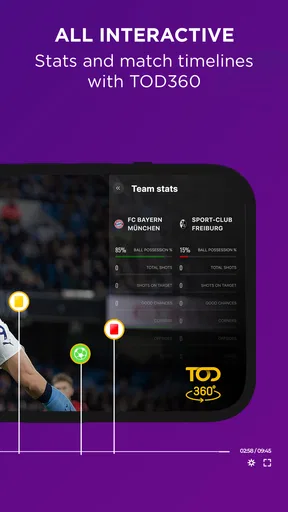
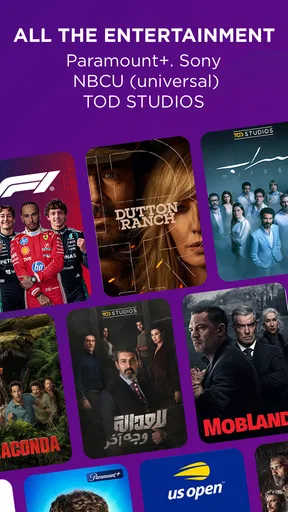
First off, let’s talk about the sheer variety of content available on TOD – Sports & Entertainment. You know how sometimes you’re in the mood for a live match, and other times you just want to binge-watch a series? This app combines both worlds seamlessly. I was genuinely impressed with the range of sports events it covers—from soccer to tennis, and everything in between. And, when I needed a break from the adrenaline, the entertainment section offered a plethora of movies and shows to choose from.
User-Friendly Interface
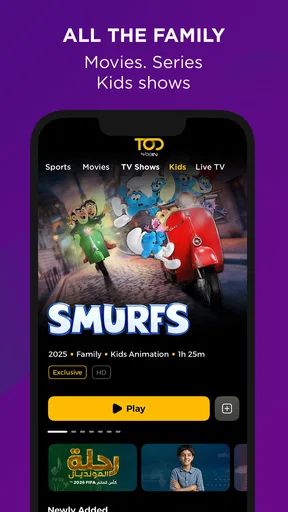
One thing I always appreciate in an app is a clean and intuitive interface. Who wants to spend time figuring out where everything is, right? With TOD, navigation is a breeze. The layout is pretty straightforward, allowing you to switch between sports and entertainment with just a couple of taps. The search function is also quite robust, making it easy to find exactly what you’re looking for without any hassle.
Streaming Quality
Now, what’s content without quality, huh? The streaming quality on TOD is top-notch. Whether you’re watching a live game or a blockbuster movie, the visuals are crisp, and the buffering? Almost non-existent. I’ve tried it both on Wi-Fi and mobile data, and the performance was consistently smooth. Kudos to the developers for ensuring that users get an uninterrupted experience.
Personalized Experience
Another cool feature that stood out to me was the app’s ability to personalize content. Based on my viewing habits, TOD started suggesting matches and shows that I might be interested in. It’s like having a personal assistant that knows your taste better than you do. Plus, you can set reminders for live events, so you never miss out on the action.
Social Connectivity
In this digital age, sharing is caring, and TOD makes it super easy to share your favorite moments with friends. Whether it’s a last-minute goal or a cliffhanger scene, you can share clips directly from the app. It’s a great way to stay connected with fellow fans and friends, especially when you’re watching games or shows together virtually.
Subscription Plans
Alright, let’s talk about the moolah. TOD offers different subscription plans tailored to varied budgets. Whether you're a casual viewer or a hardcore fan, there’s something for everyone. I found the pricing quite reasonable considering the vast amount of content available. Plus, there’s a free trial option, so you can test the waters before making any commitments.
Room for Improvement?
As much as I enjoyed using TOD, there’s always room for improvement. While the app is generally smooth, there were a couple of times when the notifications were a bit delayed. Not a dealbreaker, but something to keep in mind. Also, while the content library is extensive, adding more niche sports could attract a broader audience.
All in all, TOD – Sports & Entertainment is a solid choice for anyone looking to combine sports and entertainment in a single app. It’s user-friendly, offers high-quality streaming, and personalizes your experience effortlessly. Whether you’re cheering for your favorite team or enjoying a Friday night flick, TOD ensures you’re entertained every step of the way. So, why not give it a try and see if it hits the right notes for you?
Pros
- User-friendly interface for easy navigation.
- Wide range of sports and entertainment options.
- High-quality streaming with minimal buffering.
- Regular updates with new content additions.
- Available on both Android and iOS platforms.
Cons
- Occasional ads can disrupt viewing experience.
- Requires a stable internet connection.
- Some content is region-locked.
- Premium features require a subscription.
- Initial setup can be slightly confusing.
FAQs for TOD by beIN
What is TOD – Sports & Entertainment app?
TOD – Sports & Entertainment is a comprehensive app that offers users access to a wide variety of live sports events, entertainment channels, and original content. It provides a seamless viewing experience with high-quality streaming. Users can enjoy everything from football matches to exclusive TV series, all within a single platform.
How user-friendly is the TOD app interface?
The TOD app boasts a highly user-friendly interface, designed to provide easy navigation for both tech-savvy users and beginners. The layout is intuitive, with categorized sections for sports, live TV, and on-demand content. Users can quickly find what they are looking for, thanks to the efficient search and recommendation features.
Is TOD – Sports & Entertainment free to use?
While the TOD app may offer some free content, it primarily operates on a subscription model. This allows users to access premium content, including live sports events and exclusive series. There may be different subscription tiers available, offering varying levels of access to the app's features.
What devices are compatible with TOD – Sports & Entertainment?
The TOD app is compatible with both Android and iOS devices. It is optimized for a range of smartphones and tablets, ensuring a smooth experience across different platforms. Additionally, users can stream content on compatible smart TVs or through casting devices, enhancing viewing flexibility.
Can I download content for offline viewing on TOD?
Yes, TOD – Sports & Entertainment allows users to download select content for offline viewing. This feature is particularly useful for those who wish to watch their favorite shows or sports events without relying on internet connectivity. However, not all content may be available for download, depending on licensing agreements.


